Timeline
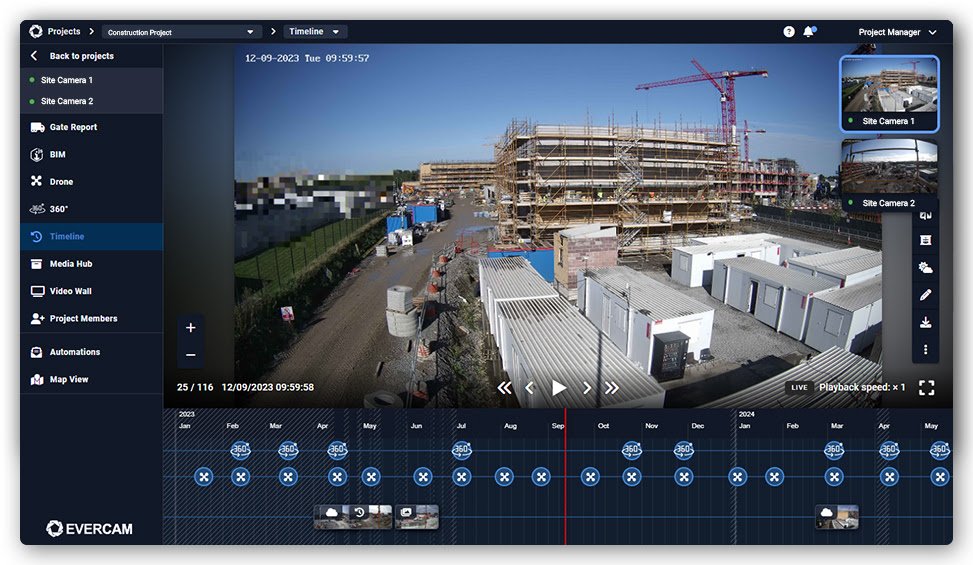
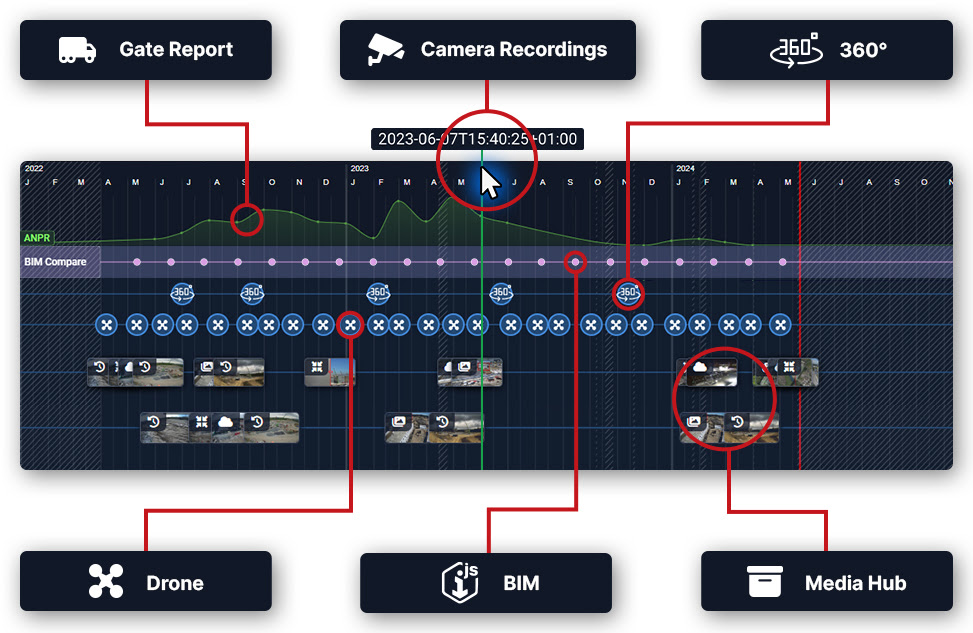
The Timeline allows you to navigate through historical camera footage by date and time, giving you a clear view of how your site evolves over time. It provides a structured way to review progress, investigate incidents, and align visual records with project milestones, all directly from the Evercam dashboard.
How to Use The Timeline Tool
- Choose the camera you’d like to view from the drop-down selector at the upper right side.
- Choose the visibility of elements/data on the timeline by selecting them on the left navigation panel.
- Open drone flights, 360 walks, BIM milestones, or Media Hub assets directly through the icons on the timeline graph.
- Use the platform tools such as Xray, Compare, Weather, and Mark-up Tool, all within the Timeline tab.
- Place Comments on camera-recorded images for other users to read.
Want More Details?
Check out the full guide in our User Manual.
[[cta]]