Construction BIM Integration with Real Site Imagery
Compare your BIM model with live and historical site imagery to validate progress, coordination, and installation accuracy.
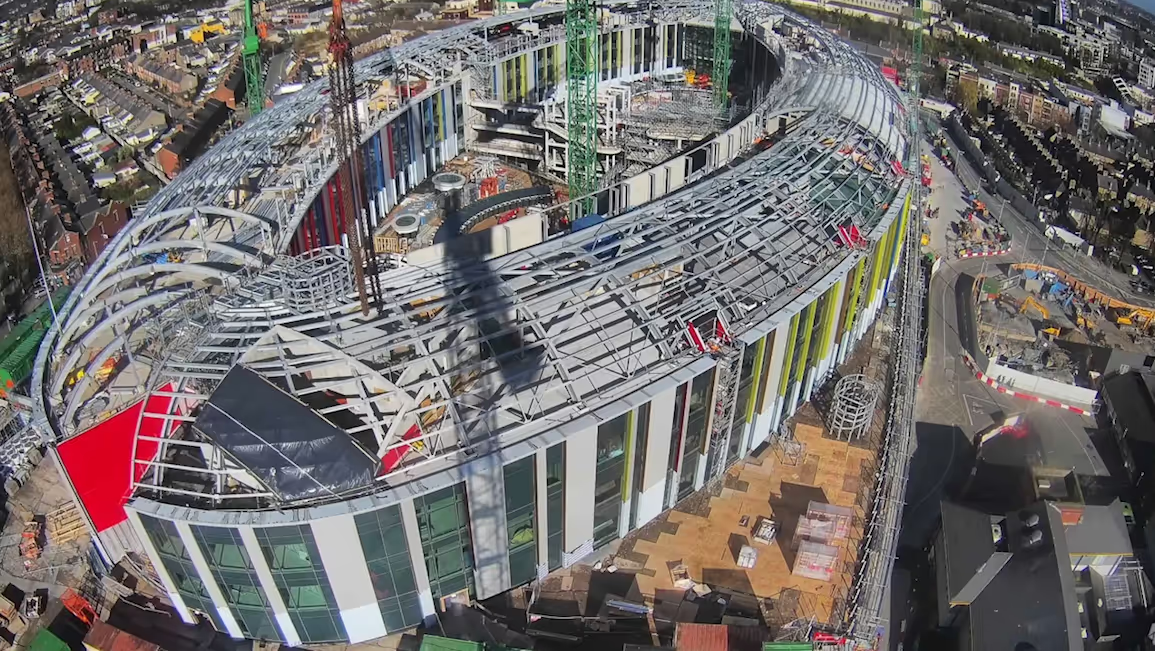
Align Your Model with On-Site Reality
Get More Done with Evercam
Fixed Cameras
Standard Fixed-Position Camera
What you see
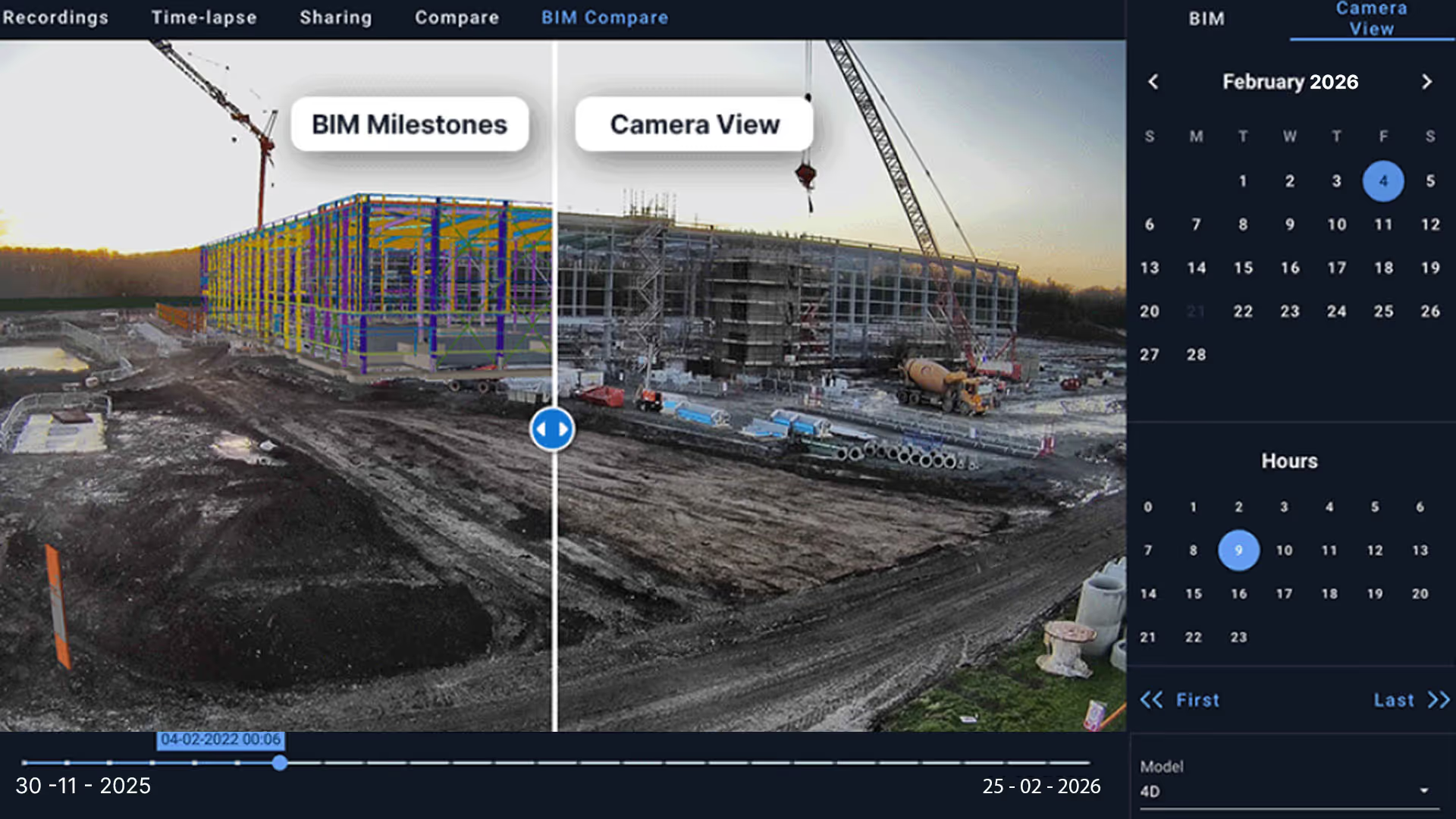
A fixed site camera and the BIM model viewed from the same position. Slide between planned elements and current site conditions.
360° Walkthroughs
180° Cameras
What you see
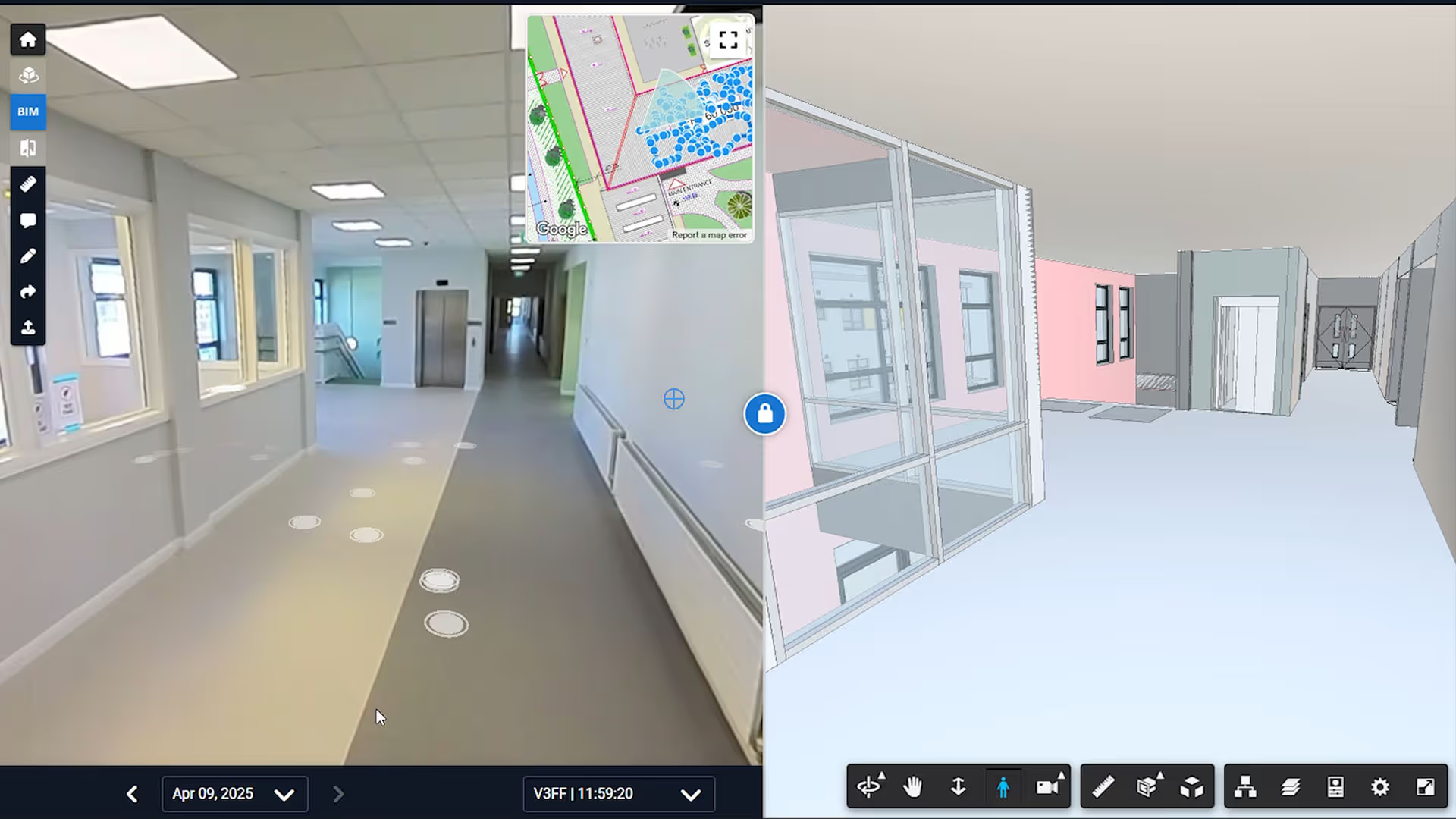
A 360 interior view with the BIM model aligned inside the same space. Compare planned elements with installed work as you look around the room.
Drone Imagery
PTZ Live Feed Cameras
What you see
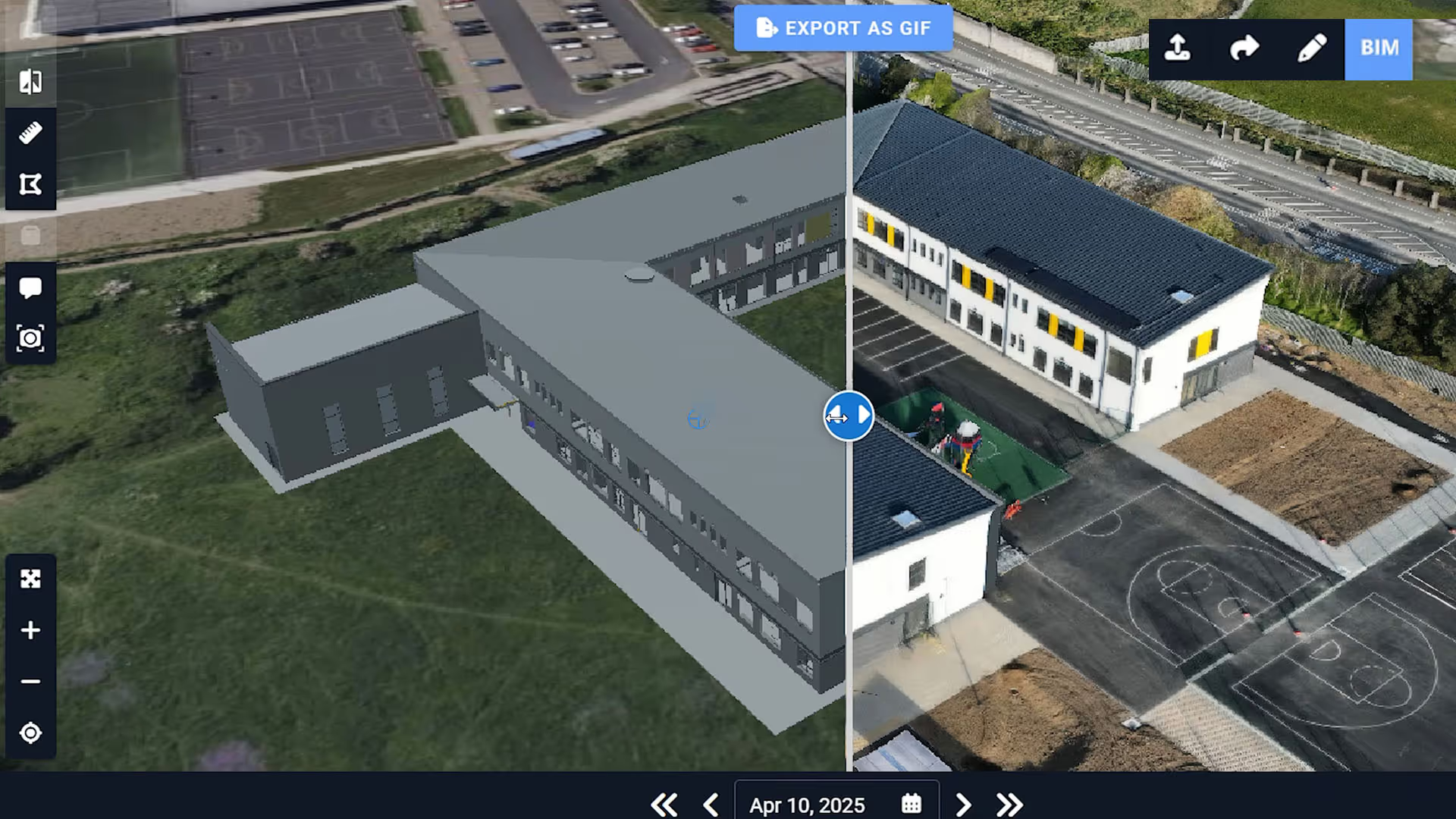
A drone image aligned with the BIM model from an aerial viewpoint. Review overall site progress and building form from above.
How BIM Integration Works on Real Projects
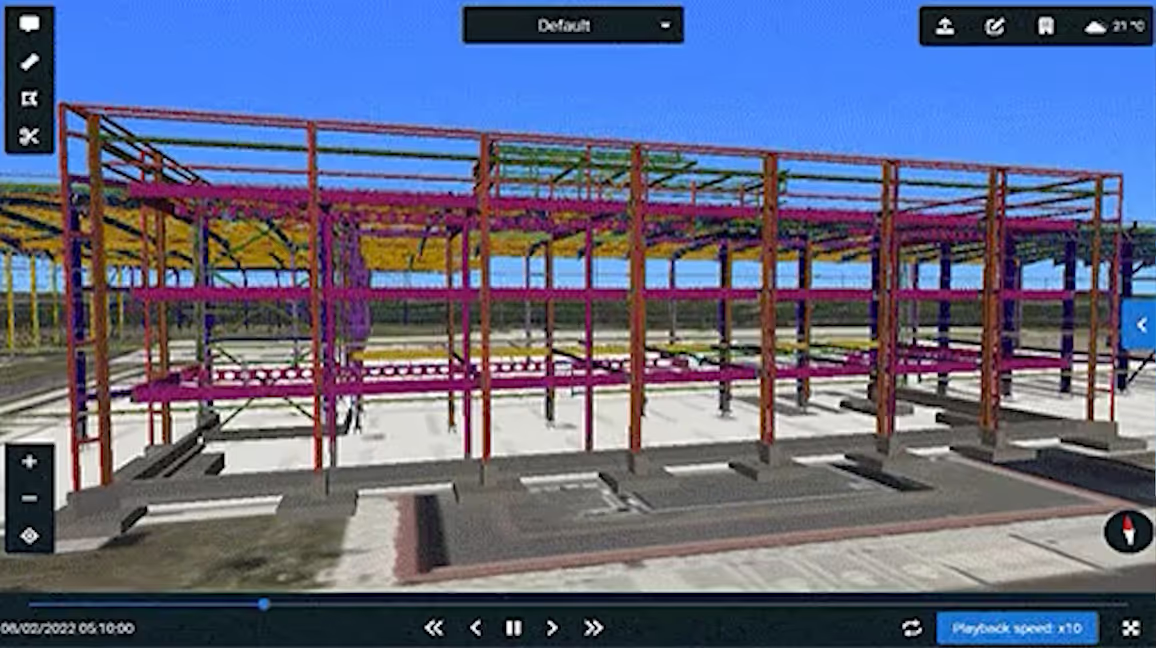
Exterior Structural Comparison
Structural progress reviewed using a fixed camera aligned with the BIM model
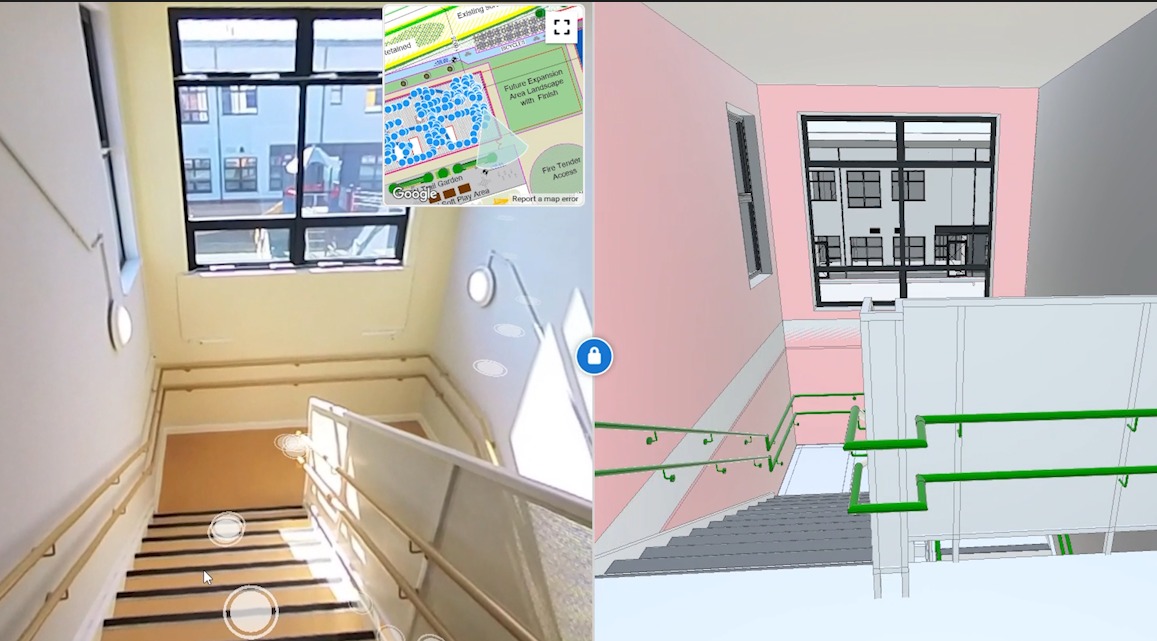
Interior Coordination Check
Interior installation checked through a 360 walkthrough compared with the BIM model
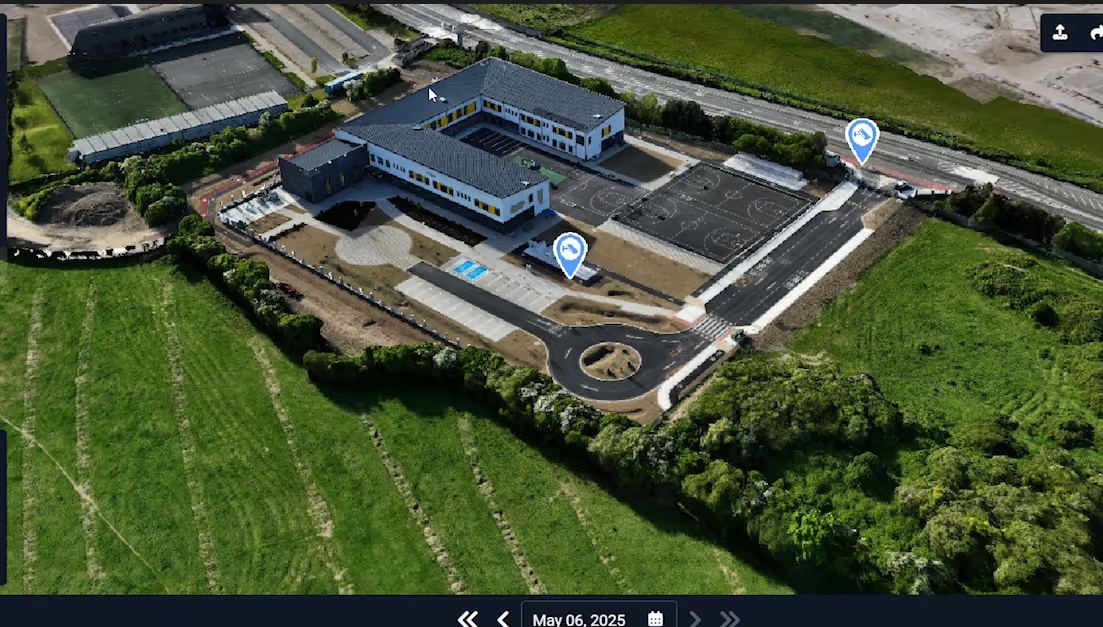
Aerial Site-Wide Review
Accurate aerial data to understand existing conditions before work begins.
Built for Construction Teams
Built for project managers, design teams, and site engineers who need real-world validation — not just model assumptions.
FAQs
Practical information about how Evercam works, what it does, and how teams use it.
What are the benefits of integrating our BIM model?
Evercam creates a time-stamped visual record by organising site imagery in one Timeline. BIM Integration lets your team view the BIM model alongside real site visuals. It is used to compare what was planned with what has been captured on site.
We update our BIM model frequently. How do updates work?
If your model is hosted in ACC, you can link Evercam to your project and upload or update your BIM. If your BIM model is hosted in Bentley iModel Hub, grant admin access to 3d@evercam.io and updates are reflected automatically. Otherwise, you can send an updated model to the Evercam team. Processing typically takes between 0.5 and 3 days, depending on model size.
Can you integrate with a 3D model, or do I need 4D?
Yes.BIM Integration supports both 3D and 4D models. A 4D model is not required to use BIM Compare.
What are the system requirements to use BIM Integration?
Unlimited access can be shared with stakeholders, with permission controls. BIM Integration is accessed through a standard web browser.It is cloud-based and does not require additional software installation.
Which construction software can BIM Integration work with?
Every site uses BIM differently. Talk to your Evercam account team to understand how BIM Integration would apply to your cameras, walkthroughs, or drone data.
Validate Your BIM With Real Site Evidence
See how Evercam overlays live site imagery with your 3D model to improve verification, coordination, and progress tracking.