Map View
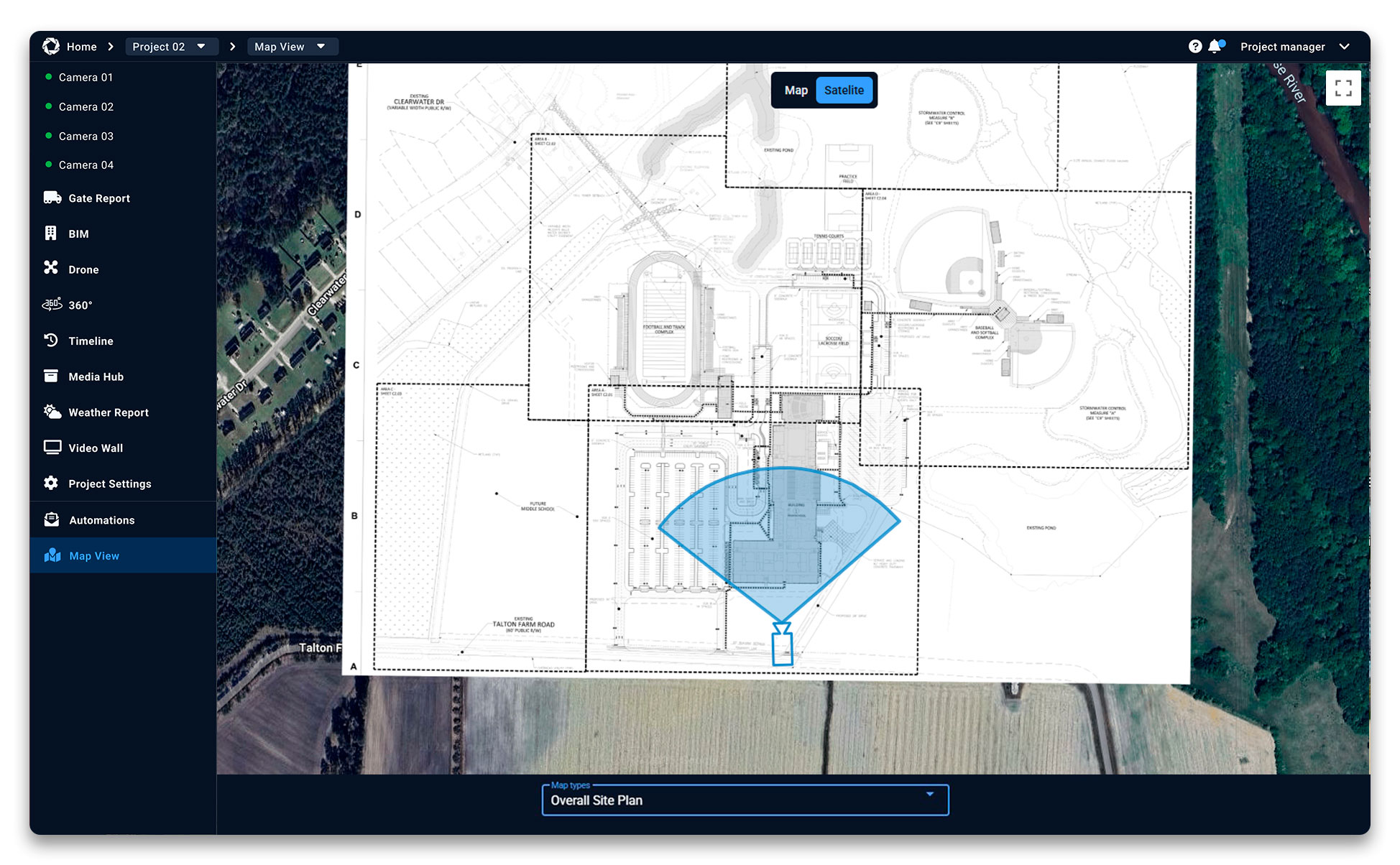
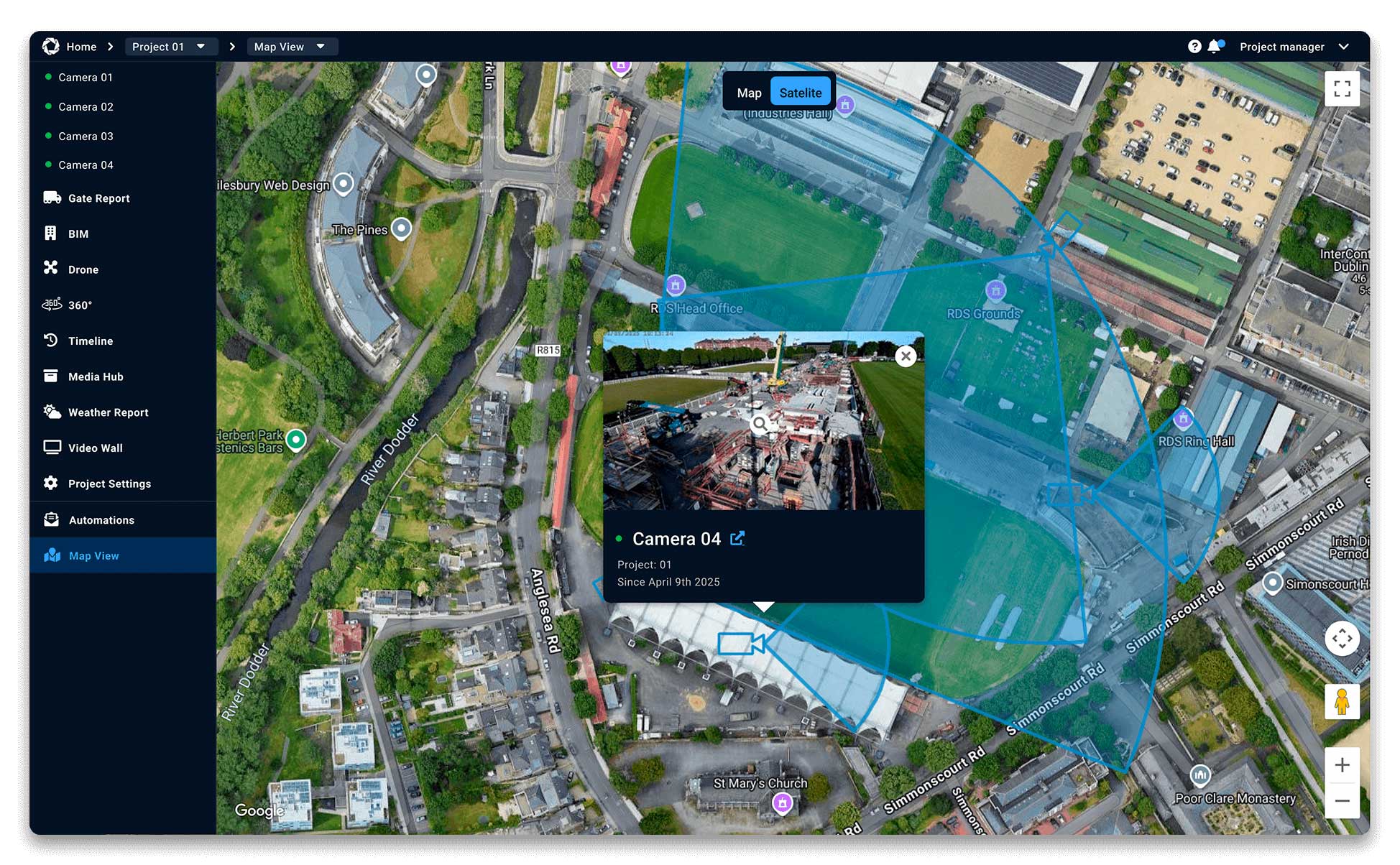
Map View is a feature within the Evercam platform that allows users to see camera locations displayed on an interactive map. It provides a clear overview of where cameras are positioned across one or multiple sites, helping teams quickly navigate and access the correct camera based on location.
How to Use the Map View Tool
- Click on the Map View in the left menu tab in your Evercam dashboard.
- Pan & zoom to explore different areas.
- Click on a camera marker to instantly view its live feed.
- Select a camera to see its name, location, and live image.
- Click Full Screen for a larger display.
- Toggle between Satellite and Street Map modes for different perspectives.
Want More Details?
Read the full guide in our User Manual.
[[cta]]