X-Ray
Xray is a tool within the Evercam platform that allows users to overlay recordings from different dates to visually compare site progress. Available inside Evercam Recordings, it helps teams identify changes, completed work, and specific areas of interest directly within the interface.

How to Use the X-Ray Tool
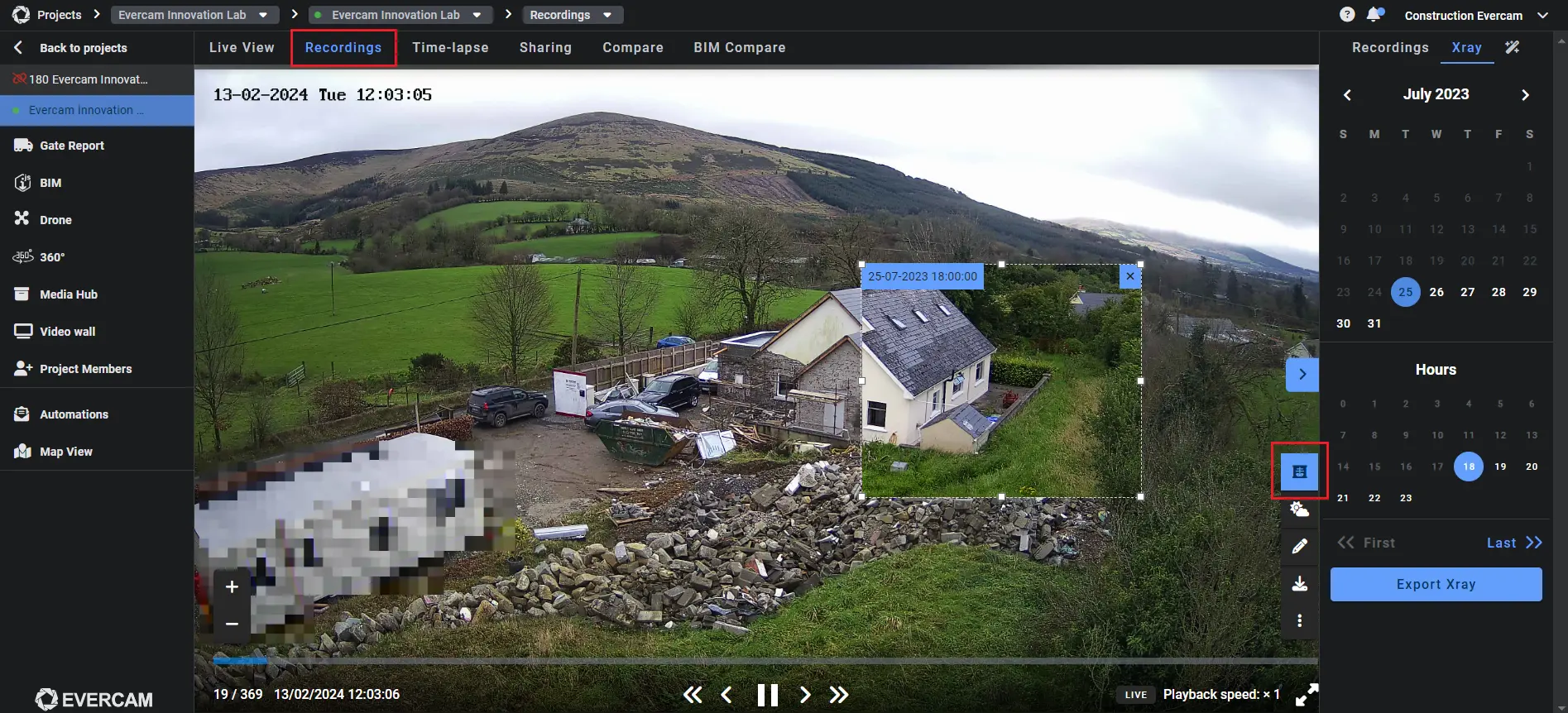
- Click the Recordings tab at the top left of your dashboard screen.
- Select the X-Ray Icon in the top right of the calendar.
- Use the calendar tool to select two dates:
- The current recording you want to compare.
- The past image to overlay.
Compare & Share
- Drag the X-Ray overlay to move it around the image.
- Resize the X-Ray area to focus on specific sections.
- Instantly see what has changed – without guesswork.
Try the X-Ray Tool Today
Find more information in our User Manual.
[[cta]]