Distance
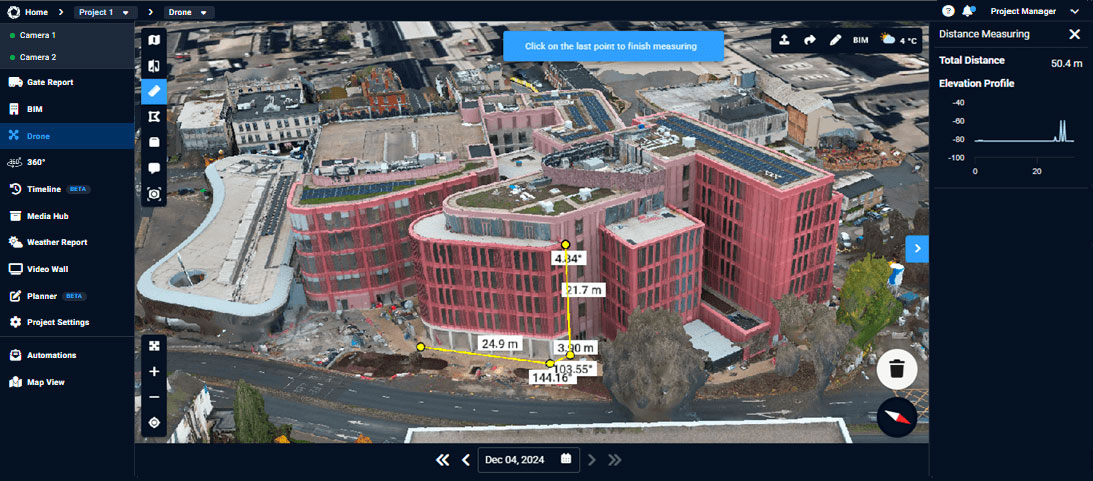
Distance is a tool within Evercam Drone that lets you measure a straight line between two points on the drone mesh. It is useful for confirming spacing, material lengths, and general site measurements while reviewing aerial captures in the Evercam platform.
How to Measure Site Distances Using the Distance Feature
- In Evercam Drone, click the Distance icon in the top-left corner of the interface.
- This enables point-to-point measurement mode.
- Click on your starting point, then click again to place the second point.
- The system will display the distance between the two points.
- Use the navigation tools to ensure both points are accurately placed on the surface.
- Zoom in for greater precision on detailed elements.

Want More Details?
Read the full guide in our User Manual.
[[cta]]