Blur
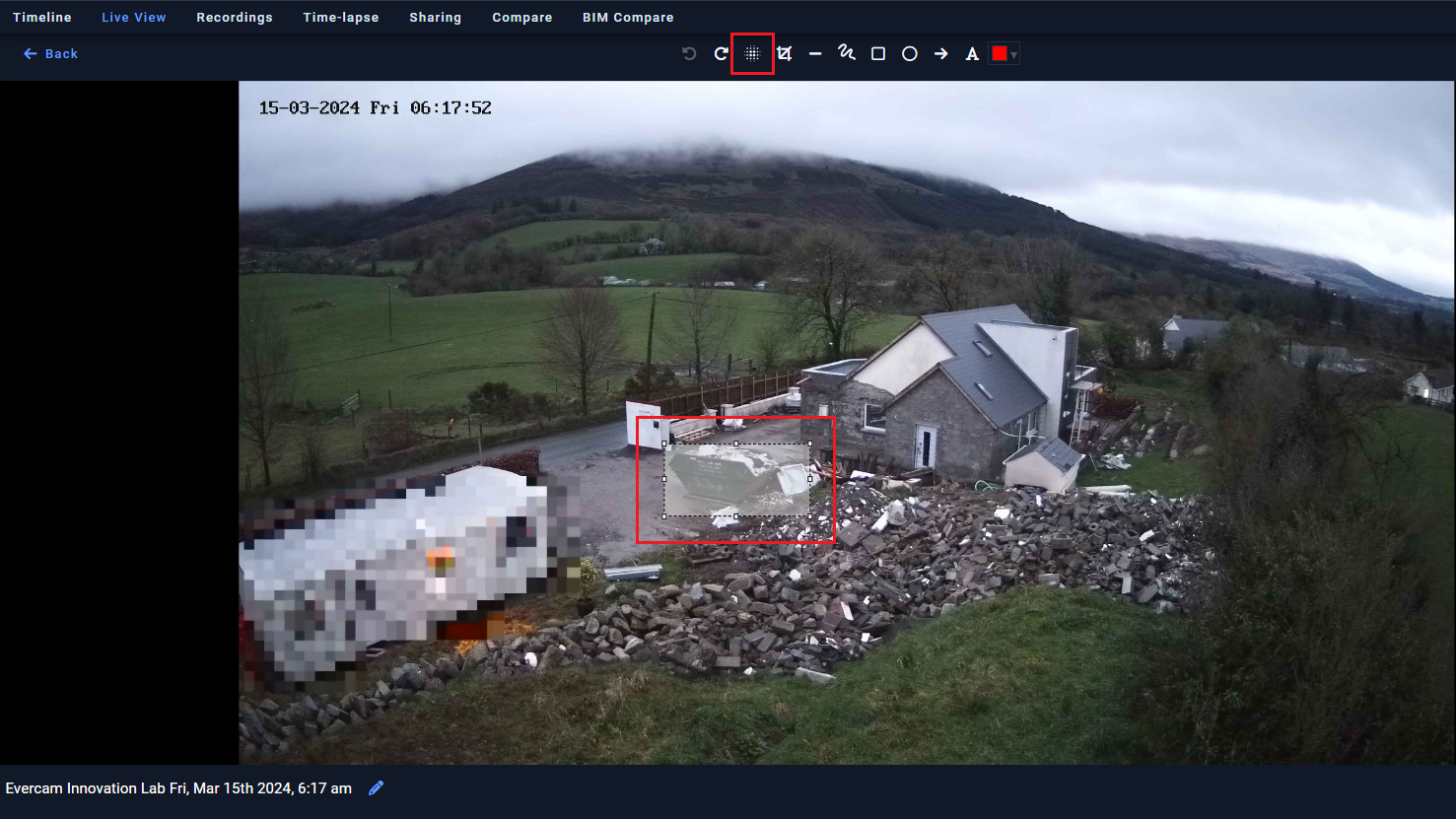
The Blur Tool allows you to permanently hide sensitive areas in recorded images, helping you protect privacy and stay compliant with data protection requirements. Blur faces, license plates, or restricted zones directly within Recordings before sharing or exporting media.

How to Use the Blur Tool
1. Open the Blur Tool
- Navigate to your camera feed and select the Blur Tool from the menu.
2. Select Areas to Blur
- Click and draw over the areas you want to obscure.
- Adjust the size and intensity of the blur effect.
3. Apply and Save
- Click Apply to set the blur effect.
- Your blurred footage will be saved automatically.
4. Edit or Remove Blurs
- To adjust an existing blur, select it and resize or reposition.
- To remove a blur, click Delete on the selected area.
Need More Info?
Check out the full guide in our User Manual.
[[cta]]