Contact us

Thank you! Your submission has been received!
Oops! Something went wrong while submitting the form.

Weighbridge CCTV Integration using Evercam

Learn how you can use Evercam's API to easily integrate images from the weighbridge camera into documents, embed images & archive them in S3 with just one call.

Instructions
If you intend to use this component with Finsweet's Table of Contents attributes follow these steps:
  1. Remove the current class from the content27_link item as Webflows native current state will automatically be applied.
  2. To add interactions which automatically expand and collapse sections in the table of contents select the content27_h-trigger element, add an element trigger and select Mouse click (tap)
  3. For the 1st click select the custom animation Content 27 table of contents [Expand] and for the 2nd click select the custom animation Content 27 table of contents [Collapse].
  4. In the Trigger Settings, deselect all checkboxes other than Desktop and above. This disables the interaction on tablet and below to prevent bugs when scrolling.
Affan Qureshi

Table of contents

Affan Qureshi

The farmer�s grain is collected by the contractor and delivered to the merchant.

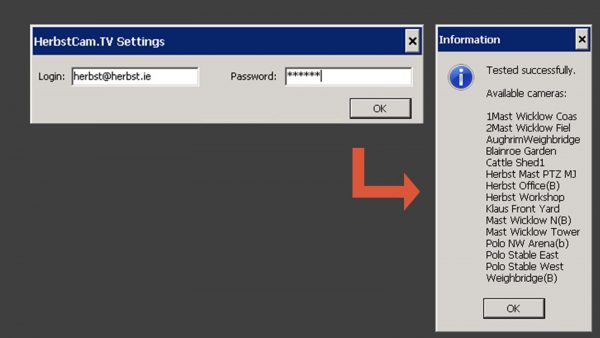
Using our API, Herbst Insight easily integrates the images from the Weighbridge camera into the document:

The user just needs to put in a username and password.

The images are embedded into the document and archived in S3 � with one API Call to Evercam.

PUBLISHED ON
January 28, 2014
CATEGORY
Blog