Traditional jobsite inspections don't keep up with the speed and complexity of modern construction. Teams that still rely on handwritten notes, scattered photos, and incomplete documentation expose themselves to missed details, delays, and costly rework. Evercam's construction camera software eliminates those gaps by providing a reliable, visual inspection system. Our AI-powered jobsite cameras, drone tools, and 360-degree walkthroughs help teams inspect, record, and resolve issues with speed and confidence. With Evercam, you can see your project in a unified screen informed by three crucial feeds: camera, drone, and 360. Combined with AI insights, your team gains the tools to inspect, document, and resolve issues quickly and accurately.
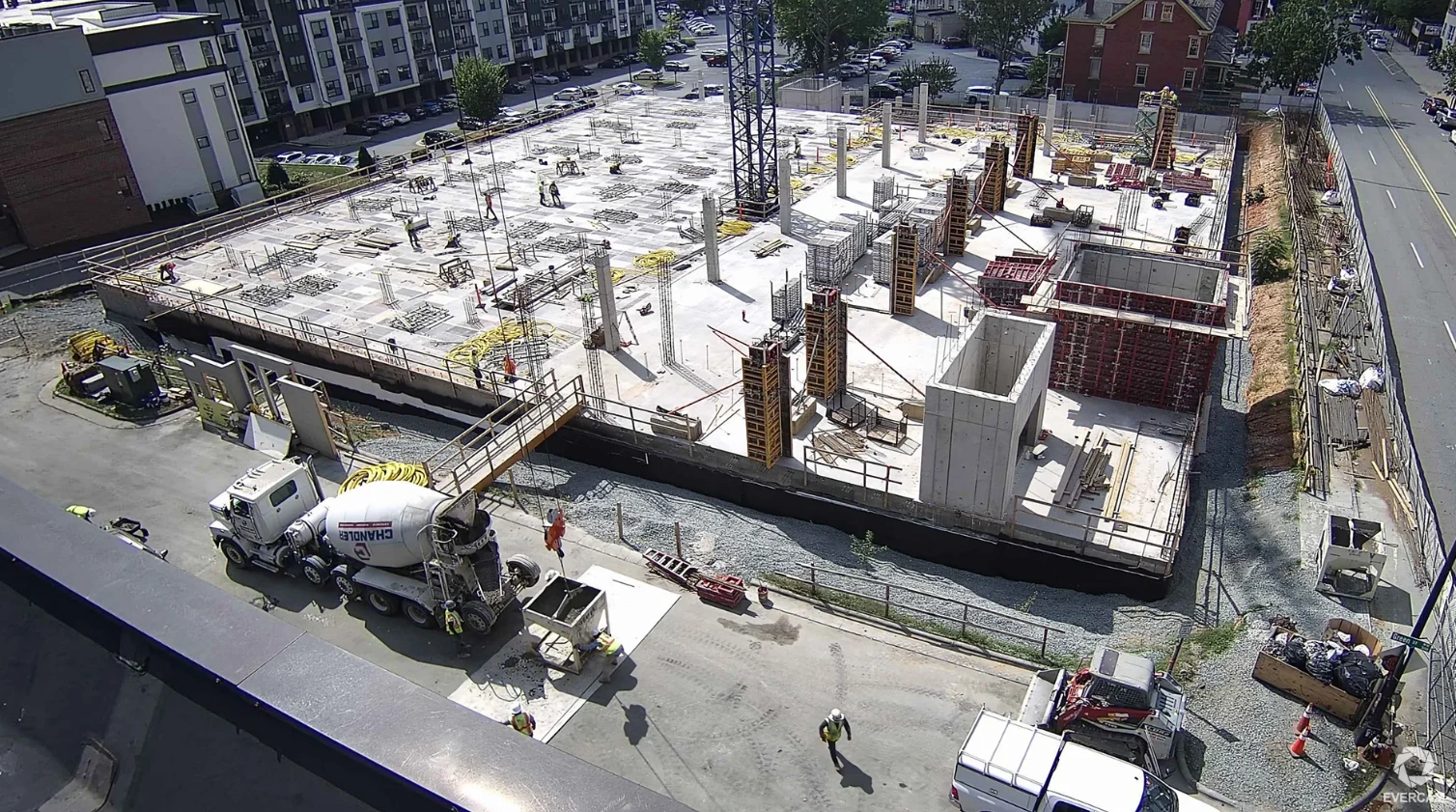
Fixed-Position, Fixed Truth: Construction Cameras that Work Hard for You
Fixed position and PTZ construction cameras provide real-time site visibility, and they also serve as the foundation of a smarter inspection workflow. Evercam's AI-powered construction cameras continuously capture and archive high-resolution footage, enabling teams to validate progress, confirm deliveries, and document key activities. For example, Glenveagh Homes used Evercam to streamline remote quality checks:
The Evercam system proved useful for checking work progress remotely and helped to catch a couple of errors early in the process. We see this as a service we can utilise in future.
Raymond O'Reilly, Glenveagh Homes
Having a visual site record means you can reference specific events, like a concrete pour or a safety incident, without relying on memory. Everything is timestamped, objective, and accessible.
360° Walkthroughs: Thorough Documentation in a Single Pass
With 360 cameras, your scheduled construction walkthroughs aren�t merely observational. 360 walks allow you to capture every detail of an entire floor in one go. Instead of relying on disconnected site visits and incomplete photo logs, you create a full, navigable visual archive of the project.
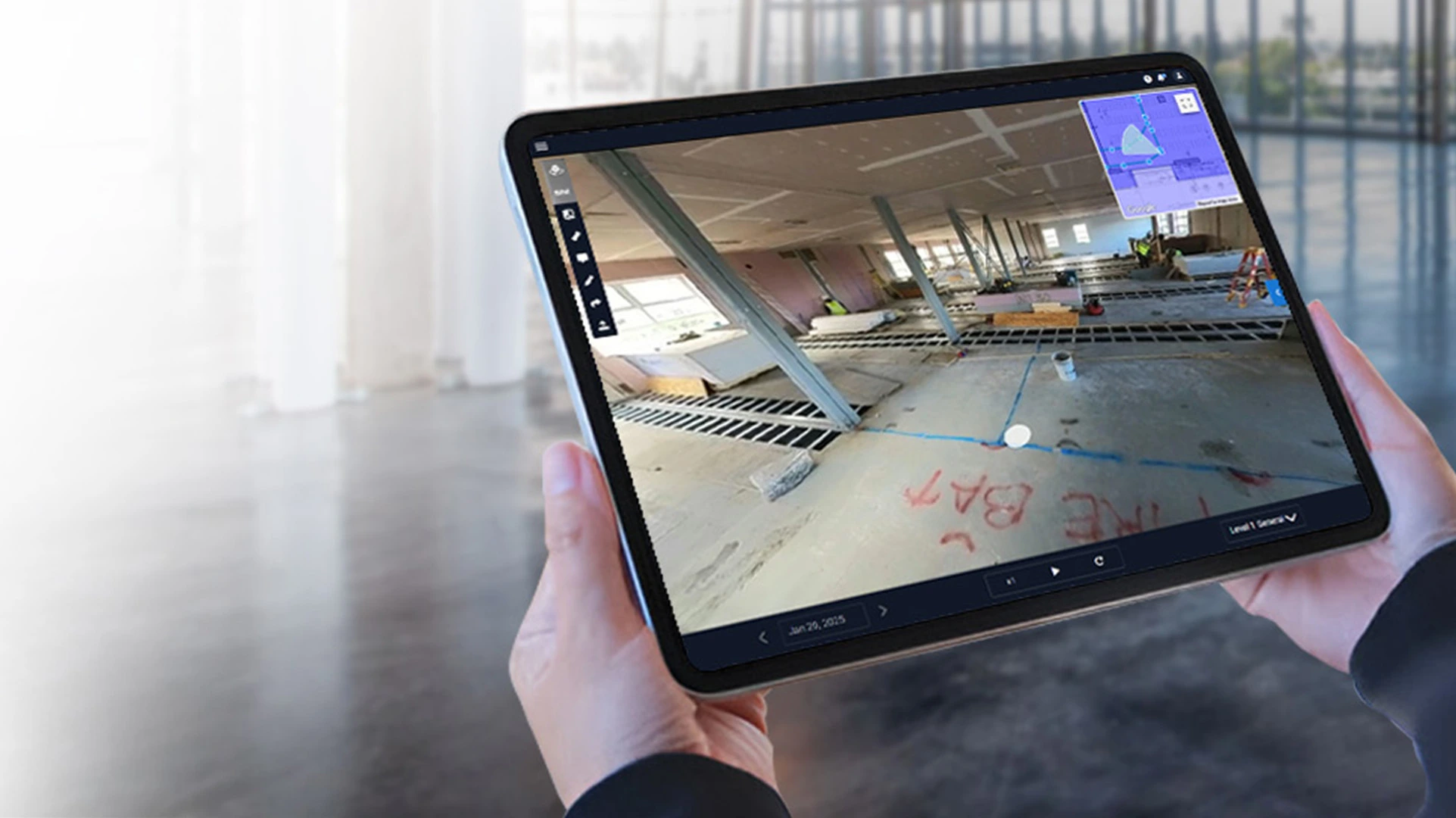
Once you're back at your desk, you can:
- Add tags and comments
- Flag issues for subcontractors or designers
- Compare walkthroughs weekly to track progress
This approach saves time and improves coordination, especially across teams working remotely. As Sarah Bradley from McAvoy noted: The Compare Tool (in 360) was easy to use, and we found it useful for creating progress GIFs for social media. When internal QA and external reporting are handled from the same visual interface, you reduce miscommunication and eliminate repeat site visits.
Drone Inspections with Real Context
Some areas like rooftops, towers, or expansive concrete pours are hard to inspect from ground level. Evercam's drone solution integrates directly into your project dashboard, allowing you to capture detailed aerial imagery for hard-to-reach zones.
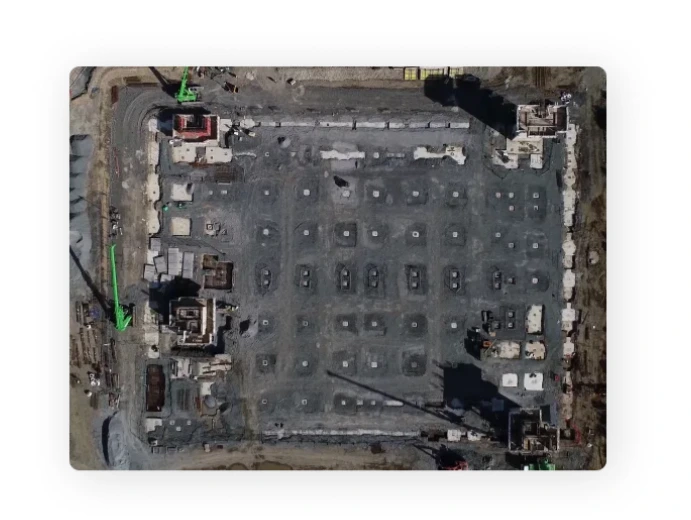
With BIM overlays and date-matched comparisons, Drone gives your team insights that are both accurate and measurable. You don't need separate tools or additional file management. All drone footage is accessible alongside your fixed and 360 footage, simplifying your construction site documentation software workflow.
Centralized Visual Documentation and Collaboration
One of Evercam's biggest strengths is unifying your visual data. Footage from drones, fixed cameras, and walkthroughs can all be:
- Annotated
- Shared
- Reviewed for QA, billing, or compliance
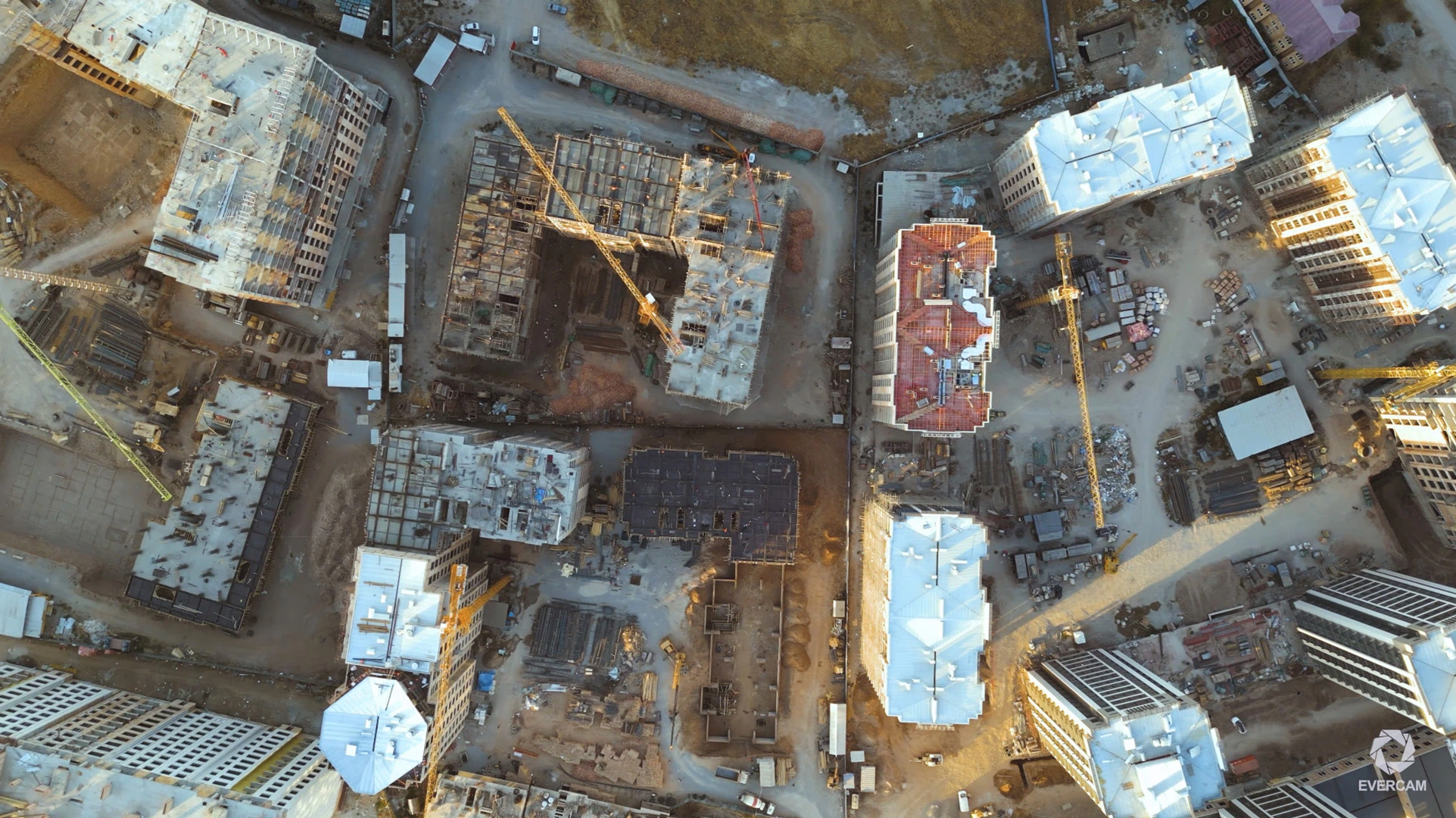
Evercam is your construction documentation system, inspection log, and progress verification tool — all in one. For example, reviewing a slab pour through your 360 camera allows you to identify issues like exposed rebar, tag them, and notify the site manager before they become a rework problem.
Why Better Inspections Save Time and Money
Rework, disputes, and compliance issues are some of the biggest drains on project budgets. A strong construction inspection process helps prevent these problems before they begin. With Evercam:
- You inspect remotely, saving hours on travel
- You reduce errors by checking work as it's completed
- You stay audit-ready with shareable, time-stamped footage
- You create alignment with visual records, not just reports
Start Improving Your Inspection Workflow Today
Whether you're managing a high-rise, data centre, or infrastructure project, Evercam gives you the tools to track construction progress, improve collaboration, and deliver more confidently.Explore Evercam Features