Insights on Construction Technology and Site Visibility
Items in view: 2
Showing items 1 to 3 of 6

Mark Friedler joins Evercam advisory board to assist in US expansion
We�re really pleased to announce that Mark Friedler is joining the Evercam advisory board.
He�ll be with us next week in NYC and, being based in San Francisco, is the first US native on the team.
Mark has plenty of experience in business development and strategy. He�s been a founder 3 times and currently advises several start-ups in the Bay Area. He�s also a great public speaker and curator of poignant Youtube clips for every situation.
We�ll be seeing more of Mark from June onwards when we�re expecting to be spending a bit more time in San Francisco and might even get some mountain biking in.


Get on the Startup bus ! With the Evercam API�.
We are honoured and flattered to have been selected to join 10 other APIs on the Startup Bus.
2 teams of developers will drive from LA and NYC to arrive in Texas on the 6th March.
Each team will be working on projects using one of 10 APIs including Twilio, Sendgrid, the UN Data set and Evercam !
See you @ SXSW guys !
StartupBus � Become a Buspreneur

See y�all @ SXSW, Austin Texas 2014
We�ll be at the Startup Village on Saturday 8th at the Hilton.
ON Sunday 9th we�ll be at the Official Ireland@SXSW party
And all along the way you can see us by tweeting to #IrelandSXSW


Evercam Discover
Getting IP cameras accessible over the Internet is always painful � finding local IP addresses, getting the ports that they are using, logging into the router, setting up port forwarding, maybe Dynamic DNS and so on �
That�s why we bring you Evercam Discover, an Android app that detects cameras on your local network, configures the router and registers your cameras with Evercam.
Features:
- Discover IP cameras in your local network.
- Try the easy options: test camera default authentication, snapshot, webpage, RTSP stream, etc.
- Access router & network information.
- Setup UPnP port forwarding (if available)
- Add cameras to your Evercam account.
- Most functions are using Evercam APIs.
Get it on Google Play:

The API�s used were:
- Evercam REST API � Login, sign up, fetch camera manufacturer defaults
- Network Scanning Library � Abstracted pure Java network scan, port scan and UPnP discovery from Evercam Discover.
- Evercam API in Java � A Java wrapper around Evercam API that can be directly invoked in any Android/Java application.
The source code is available on Github and we�d love to hear from you and get improved!

Netsuite integration with Evercam � Adding images to ANY transaction in Netsuite
We�ve completed a powerful integration with the Netsuite platform that allows any NetSuite customer to quickly and easily add powerful image verification to any Netsuite transaction.
This is great for retail environments or logistics and distribution.
For more information or an online demonstration, contact Vinnie Quinn on vq@evercam.com
Evercam Capture � Turns your phone into an IP Camera � Connected to Evercam
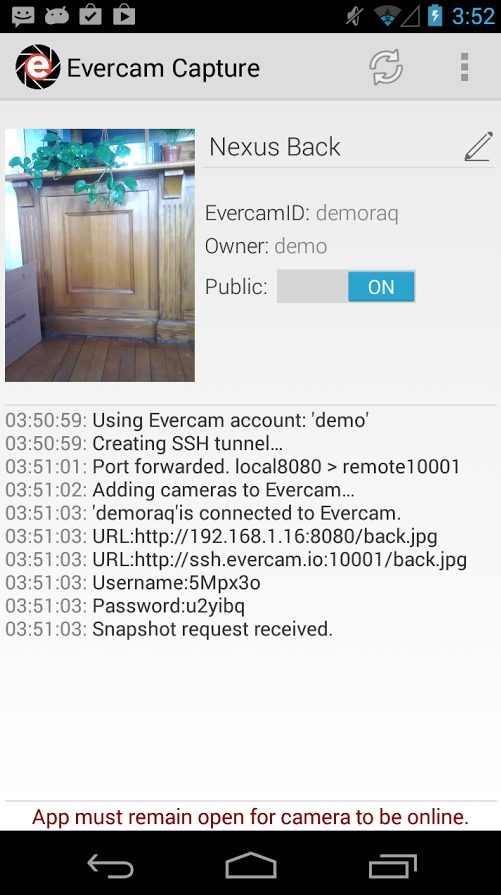
Evercam Capture turns your phone into an IP Camera (actually 2 IP Cameras if you have 2 cameras on your phone) and connects them securely to YOUR account on Evercam.
The steps are easy:
Step 1: Download the App on to your phone

Step 2: Login to your Evercam Account (or create one if you don�t have one), and choose front or back camera.
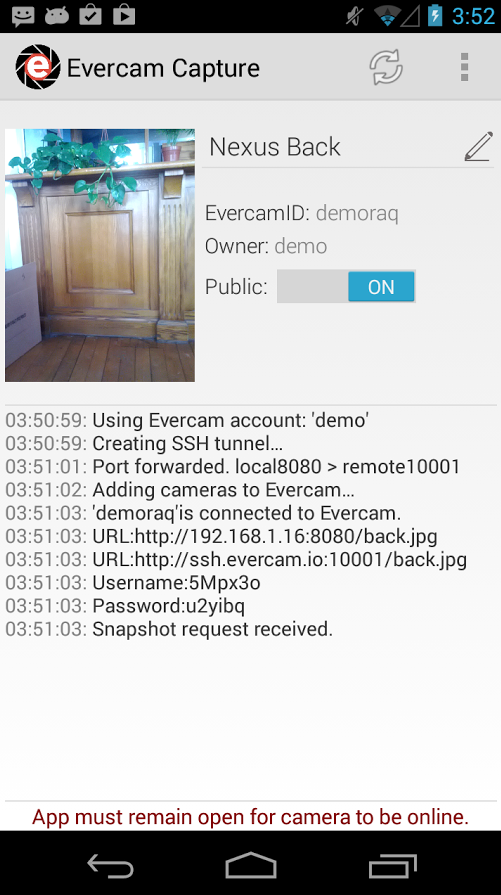
Step 3: The app will identify your cameras and add them to your Evercam account:
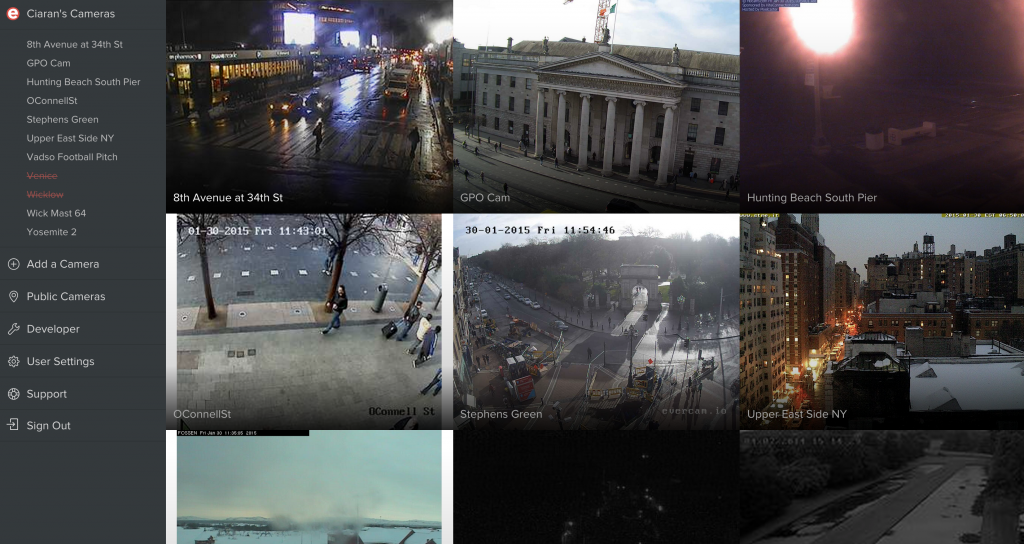
Simple as that.
Then just go ahead and try calling the app using the API. For example, to get a snapshot, try:
https://api.evercam.com/cameras/{your_camera_id}/snapshot.jpg
The connectivity between your phone and our server is a secure port forwarding connection using SSH.
The API�s used in Evercam Capture were:
- Evercam REST API � Login, sign up, create and patch cameras.
- Evercam API in Java � A Java wrapper around Evercam API that can be directly invoked in any Android/Java application.
Source code is free to use in Github, we are looking forward to get your feedback.
Tunstall Emergency Response Develop an Evercam Solution
Tunstall Emergency Response are the leading remote healthcare monitoring company in Ireland with over 38,000 connected homes.
The task was to be able to offer their clients the additional security of a video connection from their call centre, but there were some strict criteria:
- If the client had an existing CCTV system, this had to be incorporated.
- The call centre agents should only be allowed to access the system under very strictly limited conditions (i.e. an active call).
- A log had to be kept of every video interaction and the footage.
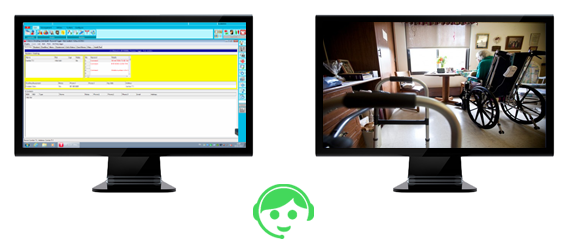
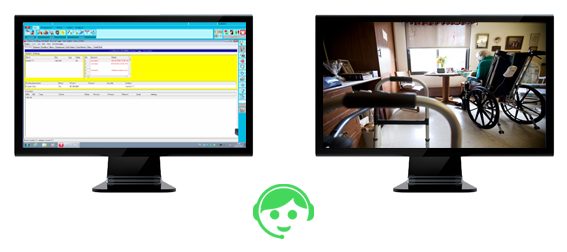
Operator View
All in all, a perfect scenario to use Evercam !
The finished product relies on some great problem solving solutions to give the most hassle-free, secure experience for Tunstall operators.
A network listener determines the nature of an incoming call, and, where appropriate opens the relevant video stream on the second monitor of the call-centre operative. The video stream remains open for the duration of the call and will follow the call if it is transferred within the call-centre.
Best of all, the solution is sure to work with any CCTV system that is capable of producing a video stream.
Weighbridge CCTV Integration using Evercam
The farmer�s grain is collected by the contractor and delivered to the merchant.
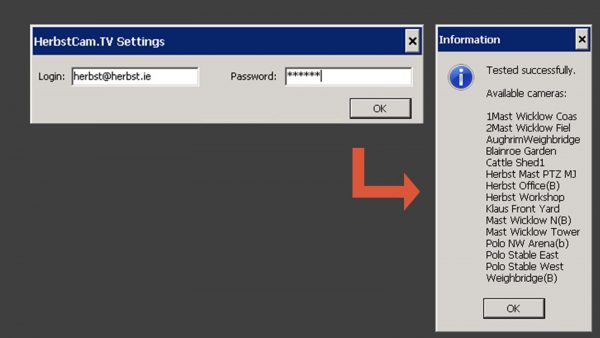
Using our API, Herbst Insight easily integrates the images from the Weighbridge camera into the document:

The user just needs to put in a username and password.

The images are embedded into the document and archived in S3 � with one API Call to Evercam.
Tunstall emergency response using Evercam
Operator View
On the left hand monitor we see the Tunstall operator�s screen in its idle state � waiting for a call.

When a call is identified, either inbound or outbound, the appropriate video stream is immediate�ly loaded in a second monitor connected to the same PC.
When the call is finished, the video session is also closed and the operator screen returns to its idle state.
This happens automatically without any interaction from the Tunstall operator
How it works
- Zero interference with existing processes: The Evercam solutions operates only on a secondary monitor. It requires no intervention from the operator and it in no way affects the operation of the existing telephony software.
- Handles all events: The system is fully automated and responds to incoming and outgoing calls. It responds on call answer, re-queuing and hang up events.
- Device independence: the system works with any Tunstall device that triggers event via Tunstall telephony software: smoke alarms, sensors, fobs, Lifeline units etc�
- Privacy: video only accessible during event (by normal ER operator)
- Low bandwidth: since video is only streamed during an event the bandwidth implications for both ER management and customer is minimal.
- Logged calls:� A log is recorded of all calls received and videos watched.
Administrator Login
Data Management Portal
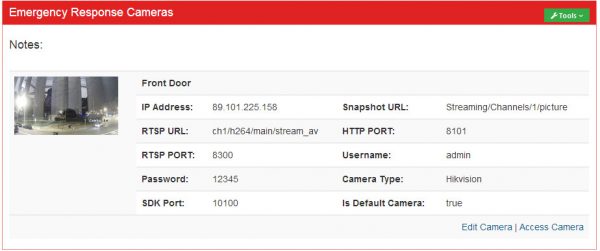
The system features a data management portal which will allow Tunstall to manage all data related to the cameras within the system.
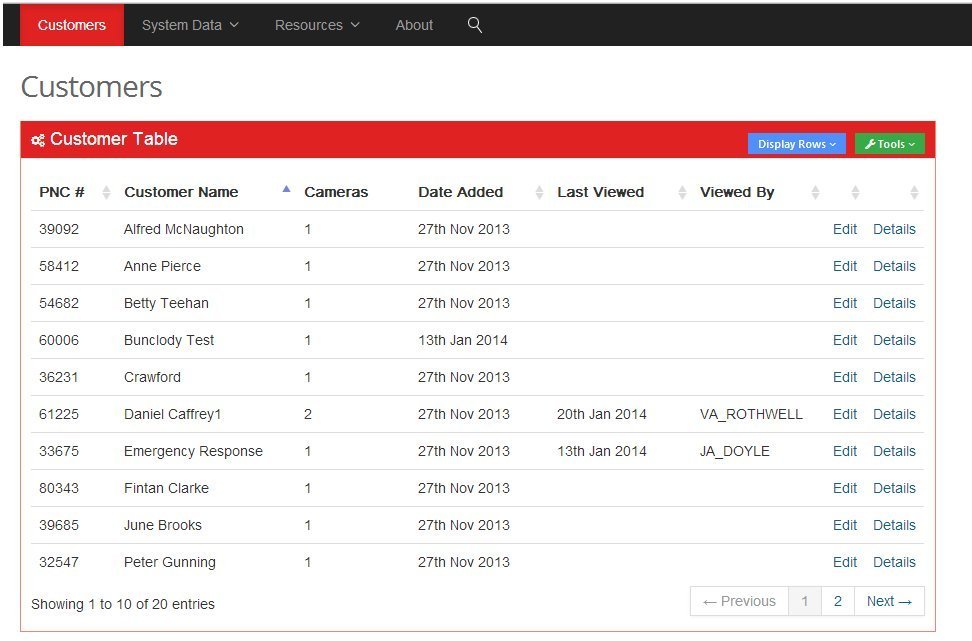
The portal facilitates entry of the minimal customer information required.
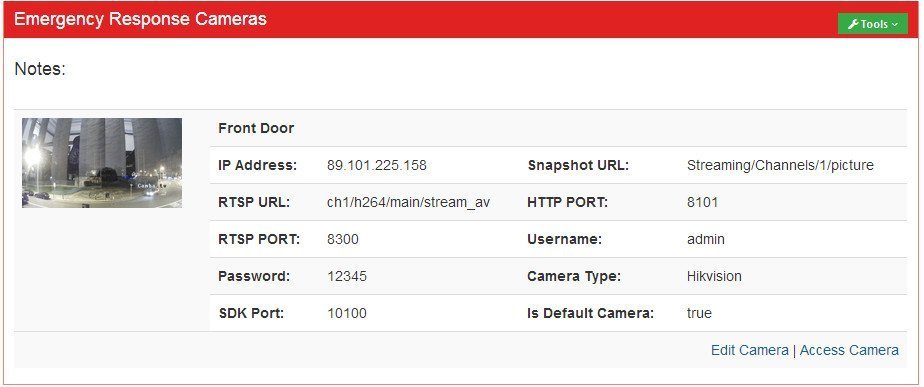
The portal allows for the addition of camera information for each customer, as well as serving as the entry point for direct access to the camera itself.
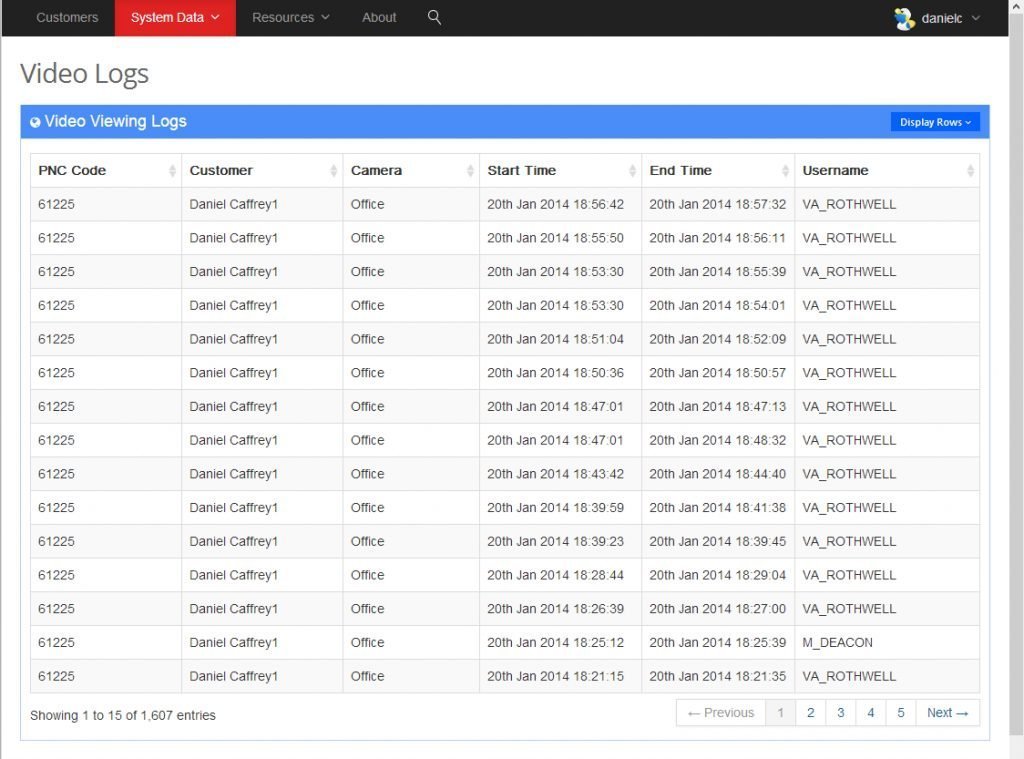
It also provides access to the viewing logs which allow administrators to see which video streams were watched, when and by whom.
�Camera Installation Process
Evercam have defined and documented all procedures relating to the installation and configuration of the camera hardware required to interact with the system.
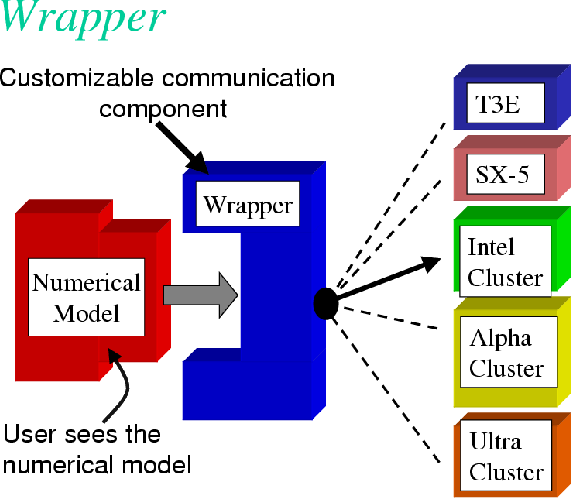
It�s a Wrap(per) ! � Node.JS and Java wrappers for Evercam released
There are few things in life that make me as happy as new features going live.
Today we had three of them, the first three wrappers for the Evercam API
Note to 7-year-olds: a �Wrapper� is a bunch of code written for a specific language (Python, Java and Node.JS are languages) that makes it easier for developers to use our Evercam APIs.
Of course, the functionality here is still very small �. but rumour has it there may be another significant deploy coming on Wednesday � stay tuned. :)
Calling all 7yr olds � A CEO builds a website.
Sometimes I�m in meetings and I am referred to as �the technical guy�. More often, especially recently, I excuse myself as �I�m not the technical guy�.
Here it is: back in 1999 I knew most of the HTML tags, a handful of PHP and I had a copy of Philip & Alex�s guide to webpublishing.
That�s pretty much where I left programming.
Now that Evercam is taking shape as a company that will be selling APIs and software to developers, my ignorance is becoming ever less blissful.
On this blog, alongside other Evercam news, I am going to try to describe, from the perspective of someone with my very limited level of technical knowledge how some of the video related problems we encounter are solved. Along the way, I hope, I will also be learning and sharing the process of trying to understand, from a newbie perspective, how these things are done.
I hope these postings may be useful to any 7 year olds out there who are interested in coding or any other programmatically challenged CEOs.

The beauty of JPEGs
One thing that every camera can produce is a JPEG.
Most do more, H264, MJPEG, MPEG4, various audio codecs etc. but in this uncertain world, it seems we can always rely on good old JPEG.
With that in mind, we�ve been surprised how much functionality we can achieve using just Jpegs and usually with a more robust, user friendly (i.e. no plugins) outcome than any of the other varieties.
With that in mind, I wanted to show just how easy it is to embed a live �video� (refreshing Jpegs) stream from ANY evercam connected camera �. it�s 3 lines of code and it will work on any browser that supports Javascript.
In the HEADER:
<script src="http://ajax.googleapis.com/ajax/libs/jquery/2.0.3/jquery.min.js"></script><script src="http://cdn.evercam.com/js/v1/evercam.js"></script>
In the BODY:
<img evercam="{your camera id here}" width="640" refresh="5000">
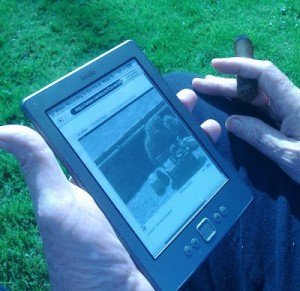
Just to prove the point, here�s an image of it working on a first generation Kindle: