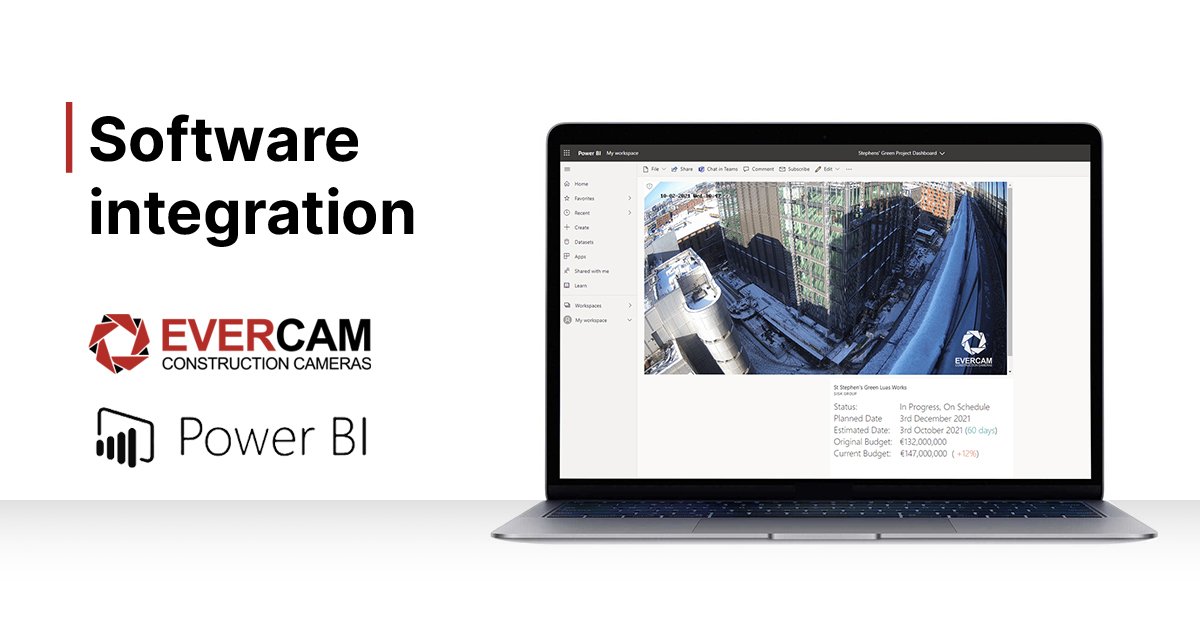

Streamline your communications by connecting Evercam's project management cameras to the project management software you are already using. Power BI provides data collection, visualization, analytics, and collaboration on one platform for entire construction teams.
About Power BI
Power BI is a hybrid project management software and a common data environment that is partially implemented on-location and partially in the cloud via Office 365. This software is designed to enhance efficiency by providing ease of access to the latest information and analytics for your project, from your PC or mobile device.
Power BI is used for:
- Accessing and storing massive amounts of data consolidated from multiple sources
- Custom reports with the drag & drop module system
- Sharing your dashboard at a moment's notice
- Monitoring trends or anomalies in your data analytics
- Easily accessible Power BI dashboard for up to date reports on the go
Integrate Your Construction Camera with Power BI
With the Evercam integration, you can access a live jobsite view of your project embedded in your Power BI dashboard. This gives the user access to Evercam's Live View within the Power BI application, providing a smoother and more streamlined project management experience.
Share with the entire team or keep your cameras private. Evercam's integration can only be seen by the users you choose.
Why integrate my camera with project management software?
- Keep Your Teams Connected: Seamless data transfer reduces friction throughout your construction project
- Verification: Add an image to your snag list, observations or RFIs
- Seamless Handovers: Use images to verify the data within your PM software & support the status of the project
- Discover our other project management software integrations here.
To integrate Evercam with Power BI, contact us today.